


Testing and Maintenance
Learn how often to test smoke and CO alarms, how to test step-by-step, what to do if a test fails, how to reset First Alert alarms, and how monthly cleaning helps prevent false alarms.
Related Topics:
 Smoke Alarm Tips
 Carbon Monoxide Alarm Tips
 Interconnected Smoke Alarm Tips
 Extinguishing Spray Tips
 Other Safety Product Tips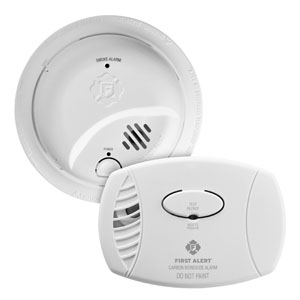
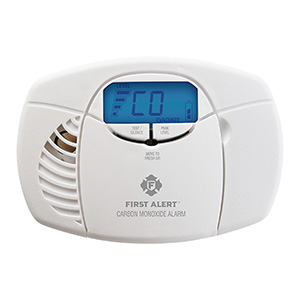
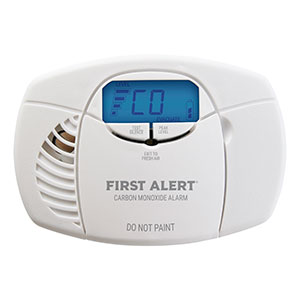
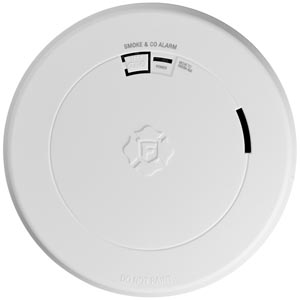
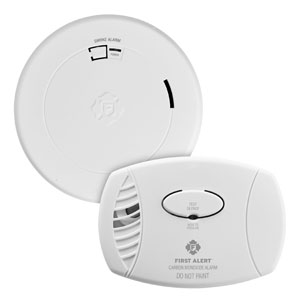
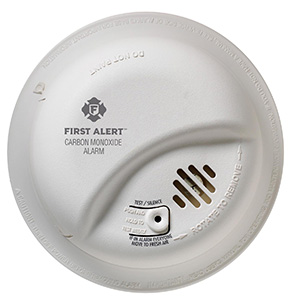
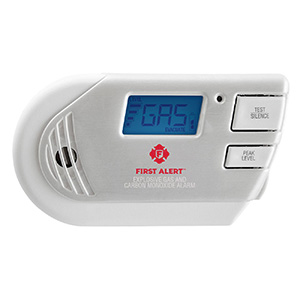
If your First Alert smoke alarm or carbon monoxide alarm is chirping, acting unusually, or not returning to normal after a battery change or alarm event, a reset may help clear the issue. In many cases, resetting the alarm can remove residual charge, clear temporary trouble conditions, and help the unit restart properly.
The reset steps can vary slightly by model, but the instructions below cover the most common First Alert smoke alarms, CO alarms, and combination smoke and carbon monoxide alarms.
You may want to reset your alarm if you notice one of these common situations:
If your alarm is sounding because of possible smoke or carbon monoxide, do not assume it only needs a reset. Treat every alarm as real until you know there is no danger.
A reset often works best after you check a few basic items first:
This method is commonly used for battery-powered smoke alarms, carbon monoxide alarms, and combination units.
Many plug-in carbon monoxide alarms can be reset using the steps below. Some plug-in models also include battery backup, so check that as well.
If the alarm does not reset properly, also confirm that the outlet has power and that the plug is fully seated.
Hardwired alarms usually receive AC power from the home and often include battery backup. Resetting them involves removing both sources of power temporarily.
If you have interconnected First Alert alarms, one unit with a problem can sometimes affect the whole system. If one alarm continues chirping or signaling trouble, it may help to identify the specific unit first.
In an interconnected setup, a single low battery, end-of-life condition, or mis-seated unit can sometimes cause confusion when troubleshooting.
If resetting does not solve the problem, there may be another cause that still needs attention.
If the alarm still chirps or fails testing after these steps, replacement may be the best solution.
Customers often use the words reset and silence interchangeably, but they are not always the same thing.
If an alarm keeps chirping after being silenced, it may need a full reset or additional troubleshooting.
A reset is helpful for many temporary conditions, but it will not fix every issue. You may need to replace the alarm if:
The alarm may still need a full reset, the battery may not be installed correctly, the battery door may not be fully closed, or the unit could be at end-of-life. Cleaning and checking mounting can also help.
A common reset method is to hold the Test or Silence button for 15 to 20 seconds after removing power. This helps discharge residual electricity inside the unit.
Yes, on many hardwired models you should remove AC power and the backup battery before holding the Test button. This allows for a more complete reset.
No. A reset can clear temporary issues, but it will not fix end-of-life warnings, physical damage, or alarms that have reached the end of their usable service life.
No. If there may be real smoke or carbon monoxide present, respond to the emergency first and get to safety. Only reset the alarm after the danger has been addressed.
If the unit still chirps, fails testing, has visible damage, or has reached end-of-life, replacement is usually the safer long-term solution.
Resetting a First Alert smoke or CO alarm is often a simple process, but it works best when combined with fresh batteries, proper cleaning, and routine testing. If the alarm still does not return to normal after a full reset, replacing the unit may be the best next step for reliable protection.
Explore related support articles and resources for this topic.
Learn how often to test smoke and CO alarms, how to test step-by-step, what to do if a test fails, how to reset First Alert alarms, and how monthly cleaning helps prevent false alarms.
Contact options may differ depending on the type of help you need.